Application Management
The Application Management menu is used to create new applications, view the application list, and manage existing applications. When the application is used for the first time, the Application Management page is empty.
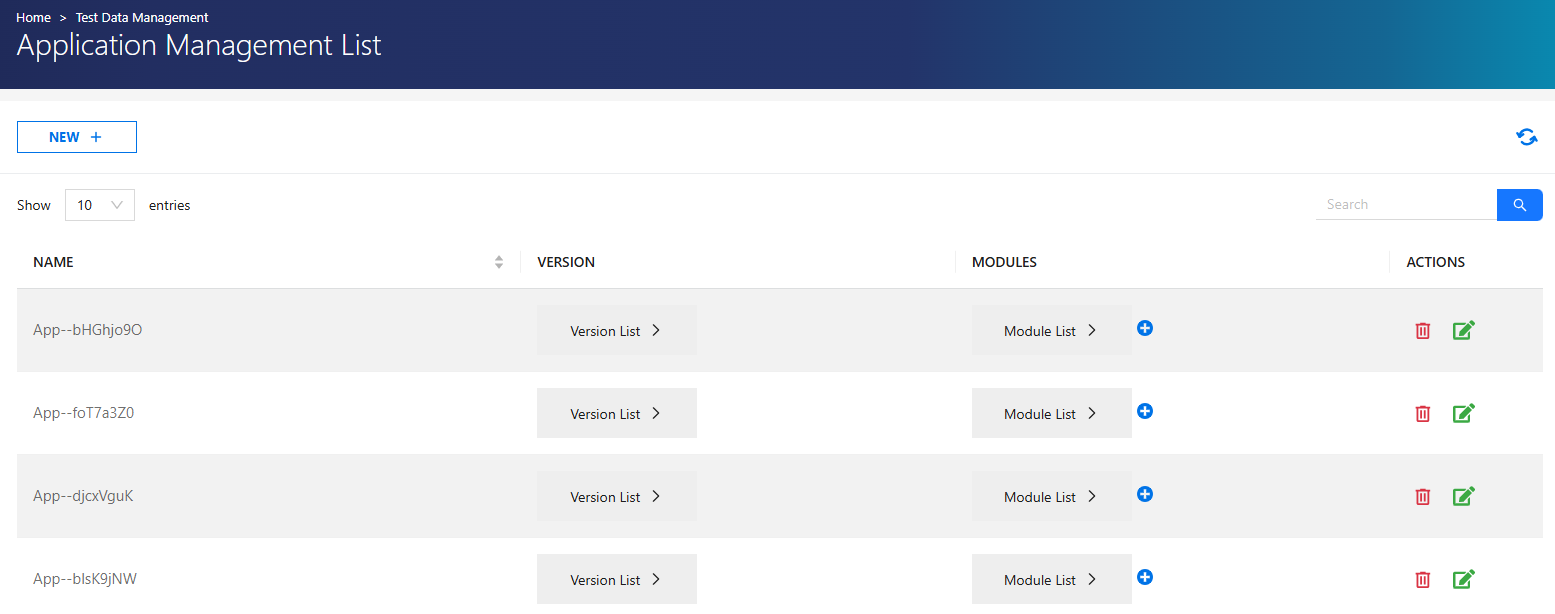
Actions
| Action | Description |
|---|---|
 |
Opens the module creation page to add a new module with its versions. |
 |
Deletes the application. If there are related cases or suites, they must be deleted first. |
 |
Updates application name and version. |
 |
Creates a new application. |
Create a New Application
To create a new application, Click NEW and fill in the following fields:
- Application Name
- Version
Users can add one or more versions to the application.
Add a Module
When the Add Module option is selected, the module creation page opens.
- Select the Application.
- Enter Module Name and Version.
- Save to add the module.
Application Management Authorization
Authorization for Application Management Create and List pages is defined as follows:
| Role | Permissions |
|---|---|
| Admin | Access to all applications and all operations |
| Test Manager | Access to authorized applications, full operations |
| Tester | No access |
Authorization Details
Admin users can:
- View all applications
- Create and manage applications and modules
Test Manager users can:
- View and manage only the applications they have created
Tester users:
- Do not have access to the Application Management menu