Project
Project
The Project menu is used to create new projects, view the project list, and edit existing projects. When the application is used for the first time, the Project List page is displayed as empty.
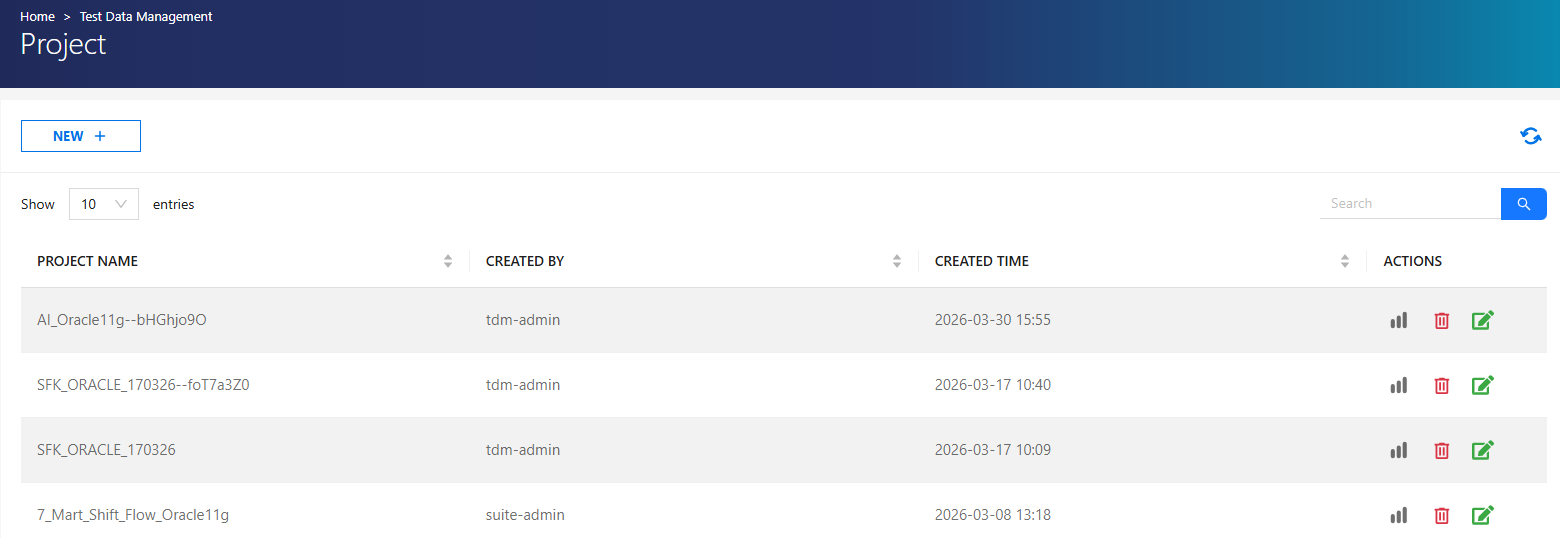
Actions
| Action | Description |
|---|---|
 |
Used to view the project's suites. See Data Generation Suite List for more details. |
 |
Deletes the project. All related suites and cases are also deleted. |
 |
Used to update project details. |
 |
Creates a new project. |
Create a New Project
To create a new project, Click NEW and fill in the following fields:
- Environment
- Project Name
- Users
- Synthetic Flows
- Script Flows
- Shift Flows
Important Notes
- Multiple environments can be selected. Synthetic flows are listed based on the selected environments.
- Project Name is limited to 100 characters.
- Users are global and not environment-specific.
- Only flows associated with the selected environments are displayed.
- Flows from unselected projects are not listed.
- At least the following are required:
- Project Name
- Minimum 1 Synthetic Flow, Script Flow, or Shift Flow
- Minimum 1 User
- Users, Synthetic Flows, Script Flows, and Shift Flows fields support filtering.
Project Authorization
Authorization for Project Create and List pages is defined as follows:
| Role | Permissions |
|---|---|
| Admin | Access to all projects and all operations |
| Test Manager | Access to authorized projects, full operations |
| Tester | Access to Project List only (authorized projects) |
Authorization Details
Admin users can view and manage all projects.
- On initial setup, projects are created by the Admin and Test Manager users are assigned.
Test Manager users can:
- View only authorized projects
- Create and manage their own projects
Tester users can:
- View only authorized projects in the Project List
- Cannot update or delete projects