Menu and Controls
TDM includes various menu items and control buttons to help you navigate and manage the application. The main components are described below.
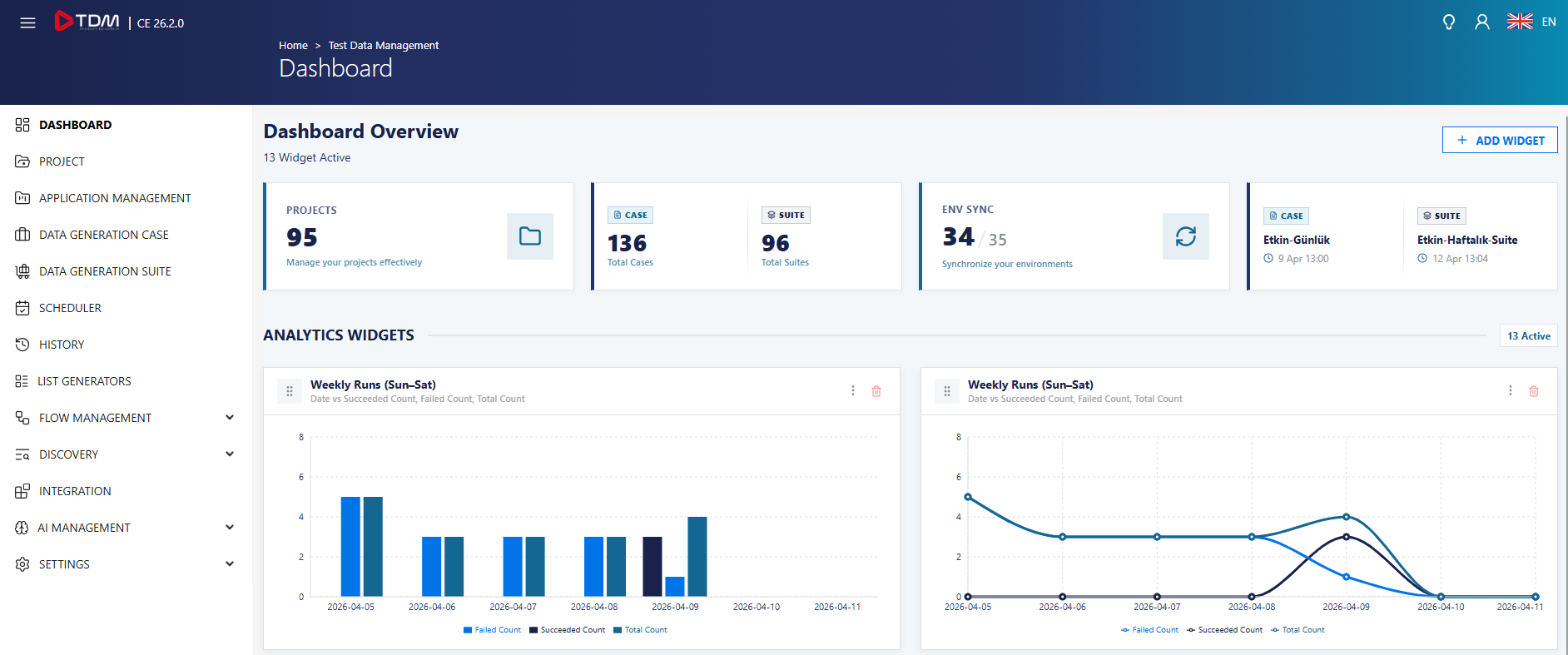
| Menu | Description |
|---|---|
| Dashboard | Displays the main dashboard. |
| Project | Used to view and manage projects. |
| Application Management | Used to manage applications. |
| Data Generation Case | Displays data generation cases (DGC). |
| Data Generation Suite | Displays data generation suites (DGS). DGS encapsulates DGCs. |
| Scheduler | Displays scheduled cases and suites. |
| History | Used to view and manage history records for cases and suites. |
| List Generators | Used to view and manage list generators. |
| Flow Management | Used to generate synthetic data. It includes the Environments, Synthetic Flows, Script Flows, and Shift Flows submenus. |
| Discovery | Enables automatic generator assignment through field analysis. Includes Integration submenu. |
| Integration | Used for email integration. |
| Settings | Used to manage environments and users. Includes Environments and User Groups. |
| AI Management | Used to define AI models in the OpenAI standard for generating lists with the List Generator. Includes Settings submenu. |
 |
Expands or collapses submenu options. |
 |
Opens or closes the left-side menu for a wider view. |
 |
Provides access to user information and logout options. |
 |
Allows selecting the interface language. |
 |
Used to search and select projects. A project must be selected to create a DGS or DGC. |