Discovery
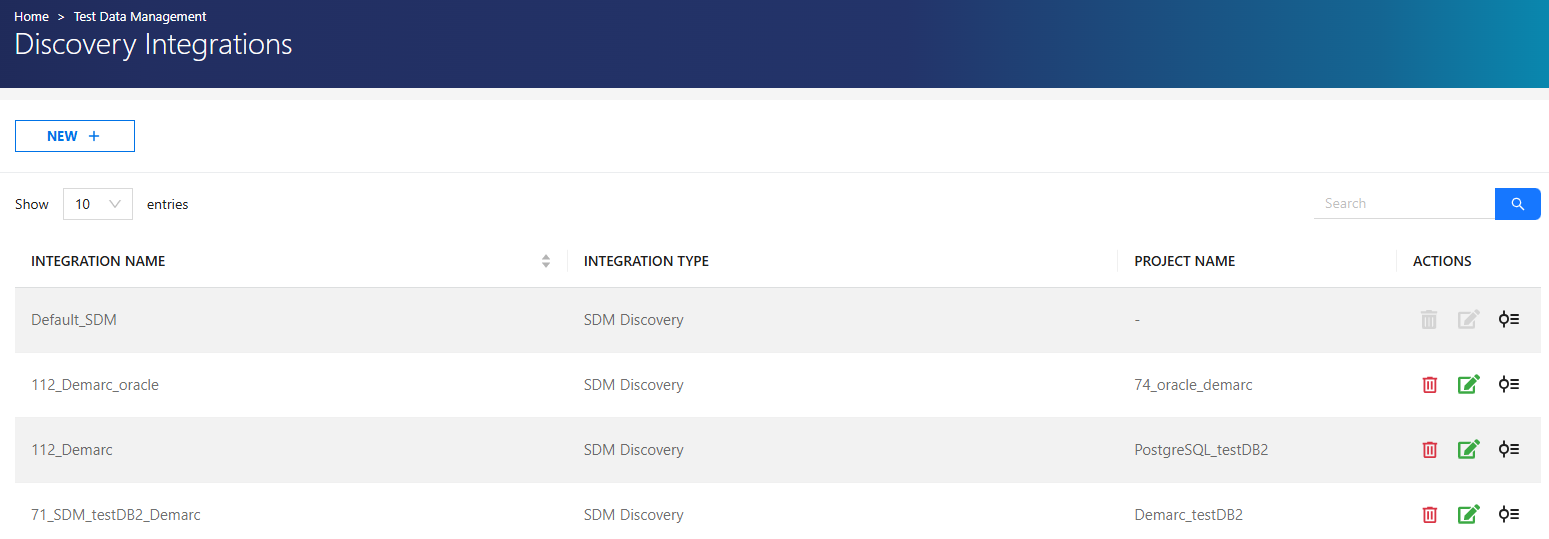
The Discovery menu enables automatic generator assignment using SDM Discovery integration. The Integration page lists existing integrations with the following details: Integration Name, Type, and Project Name. Users can edit and delete integrations
- When integrated, generators are assigned automatically based on field analysis.
-
SDM Discovery scans the database schema and detects:
- Data patterns
- Field types
- Sensitive data categories
-
Based on detected types, appropriate generators are mapped automatically.
Note
The Default_SDM integration is automatically applied when Set Default is used in Discovery Integration Rules.
Features
- Supports:
- Built-in generators
- Custom pattern-based generators
- List-based generators
- Reduces manual configuration effort
Add Integration
To create a new integration:
- Click +NEW.
-
Enter:
- Integration Name
- Integration Type
-
Provide connection details.
- Click Test Connection.
- Click Save.
Discovery Integration Rules
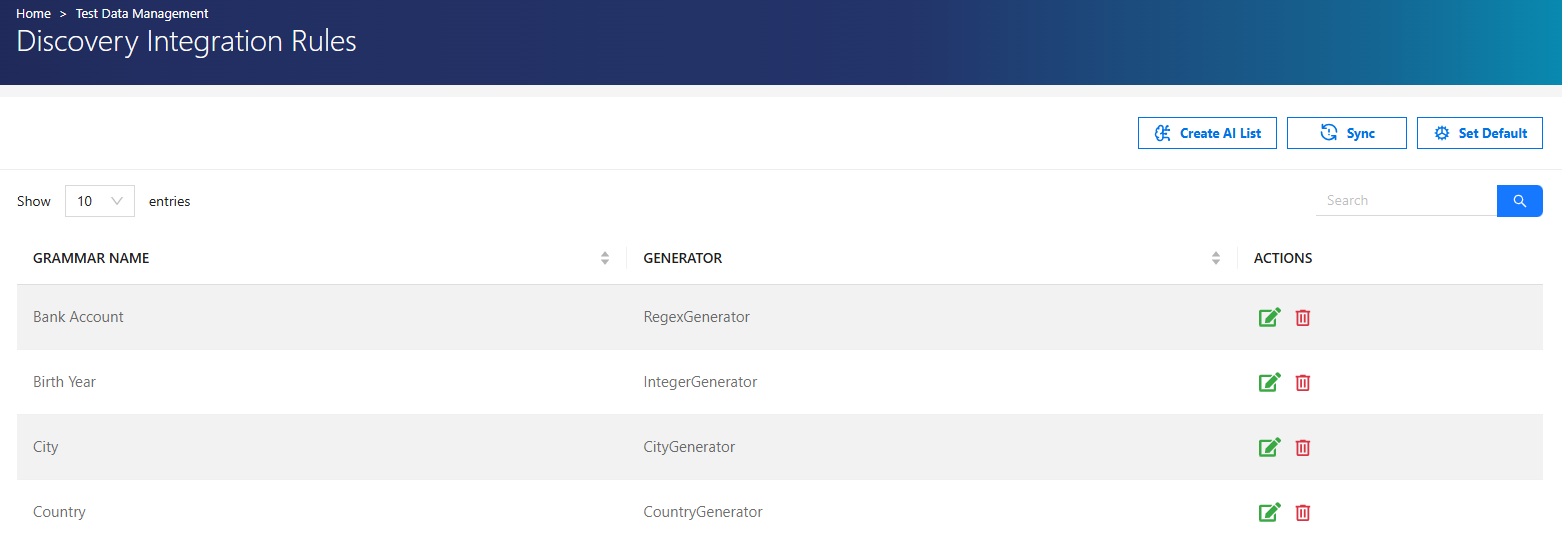
Lists data integration rules with Rule name and Generator type. Users can edit and delete rules.
Note
In some discovery grammars where the rule type is set to regex, patterns are designed for search purposes.
Since TDM uses these patterns directly for data generation, they may cause errors.
Such patterns (e.g., postal code) should be replaced with appropriate generation patterns.
Actions
-
Create AI List: Quickly generates lists using AI.
-
Set Default: Assigns the selected integration as the default for all generators.
Warning
Set Default is permanent and cannot be undone. The default integration can be configured by editing the Default_SDM integration.
Discovery Authorization
| Role | Permissions |
|---|---|
| Admin | All operations |
| Test Manager | All operations |
| Tester | No access |