Integration
The Integration menu is used to configure daily summary reports for test cases and suites, including recipients and message content.
The module consists of three tabs:
- Integrations
- Events
- Templates
Integrations Tab
Used to add and manage integrations (e.g., email integration).
-
Add Integration
Displays available integration types that can be added. -
My Integrations
Lists configured integrations.
The Active/Passive toggle is used to enable or disable integrations.
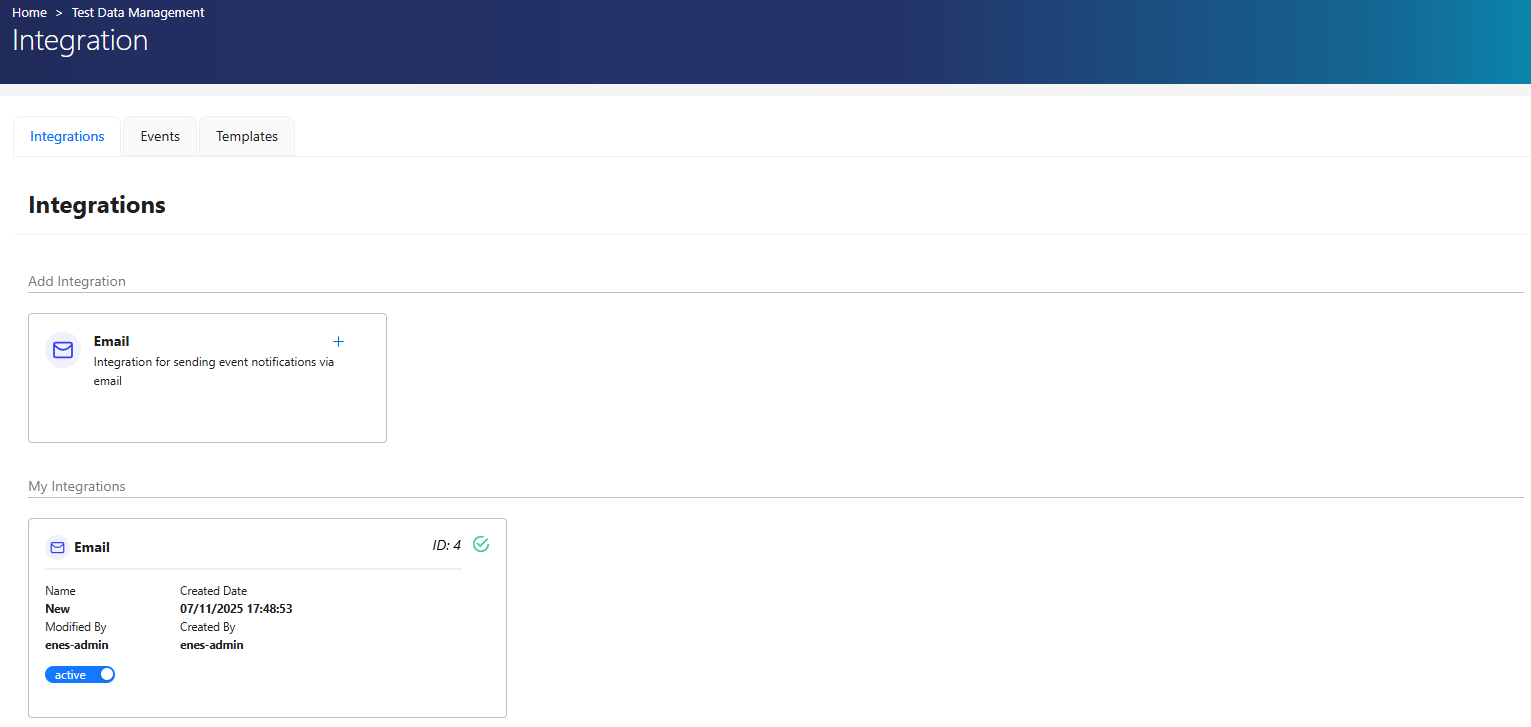
Add Integration
To add a new integration:
- Click the + icon next to the desired integration type.
- Select an Event.
- Choose a Template from the dropdown.
- Fill in required fields.
- Click Test Connection to verify.
- Click + Add Integration.
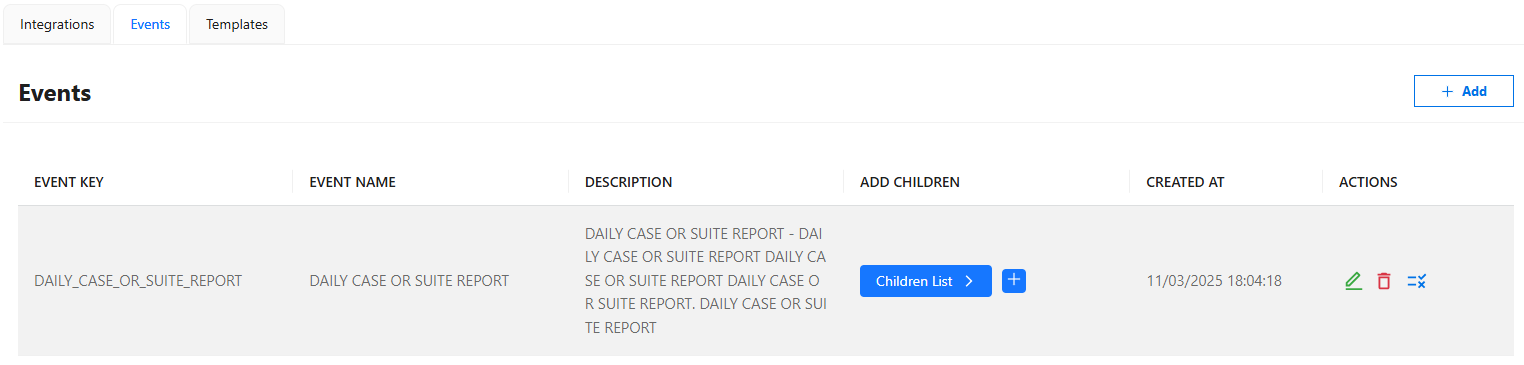
Events Tab
Events define the triggers for integrations and are built into the system.
- Each event represents a specific system action.
- Editing existing events is possible but not recommended.
Actions
-
Add Event Data
Adds additional event data. -
Existing event data:
- Can be edited or deleted (not recommended)
- Includes a Copy Key option for reuse
Templates Tab
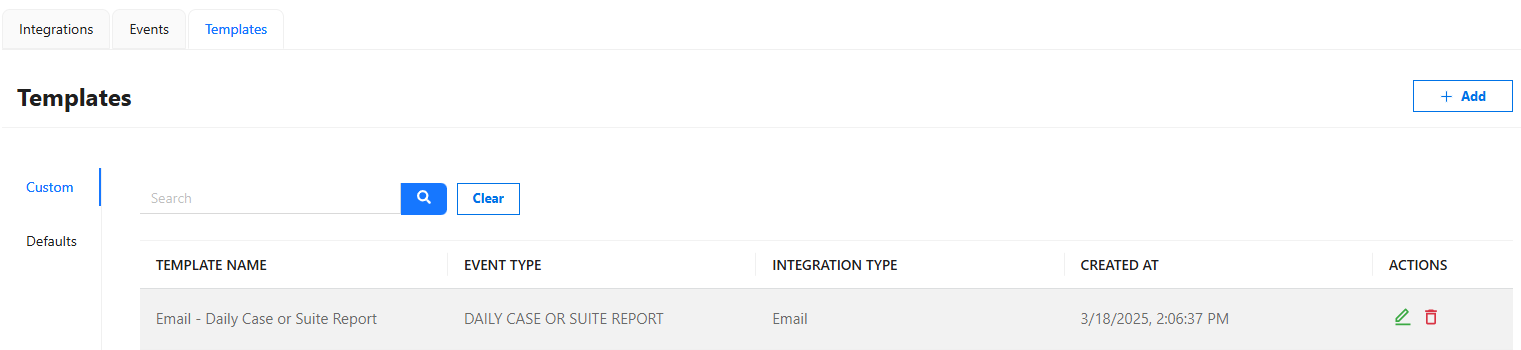
Templates define the message content sent via integrations.
- Each event is associated with a template.
- When triggered, the event data is embedded into the template and delivered via the configured integration.
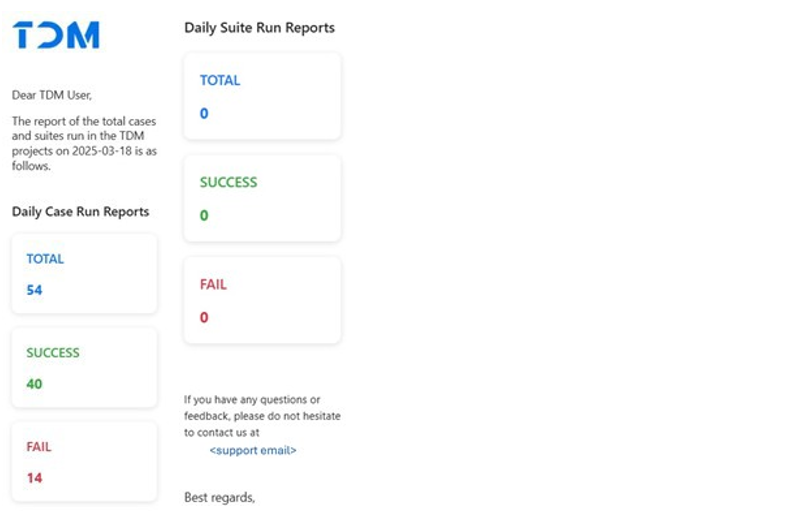
Example
TDM Daily Execution Report - Sent daily after midnight - Includes statistics from the previous day - May include attachments (e.g., reports)
To change delivery time, contact support.
Create a Template
Clone Existing Template
- Click the Clone button in the Actions column.
- Modify template properties if needed.
- Click + Add Template.
Create from Scratch
- Click + Add.
-
Enter:
- Template Name
- Integration Type
- Event Type
- Template Content
-
Click + Add Template.
Integration Authorization
| Role | Permissions |
|---|---|
| Admin | All operations |
| Test Manager | No access |
| Tester | No access |